Govern · Attribution
Every dollar attributable to someone.
Tag policy enforced at two points, a resource inventory that stays current, and attribution that turns one cloud bill into numbers each team recognises as theirs.
How it works
1
Policy is checked before merge
- Tag rules evaluated on the change itself
- Missing tags flagged while it is still a proposal
2
And again after deploy
- Post-deploy scan across every account
- Catches console changes, older stacks, anything outside the pipeline
3
Attribution follows
- Spend rolls up by team, cost centre, environment and service
- That roll-up is what makes showback and chargeback possible
Tag policy, checked twice
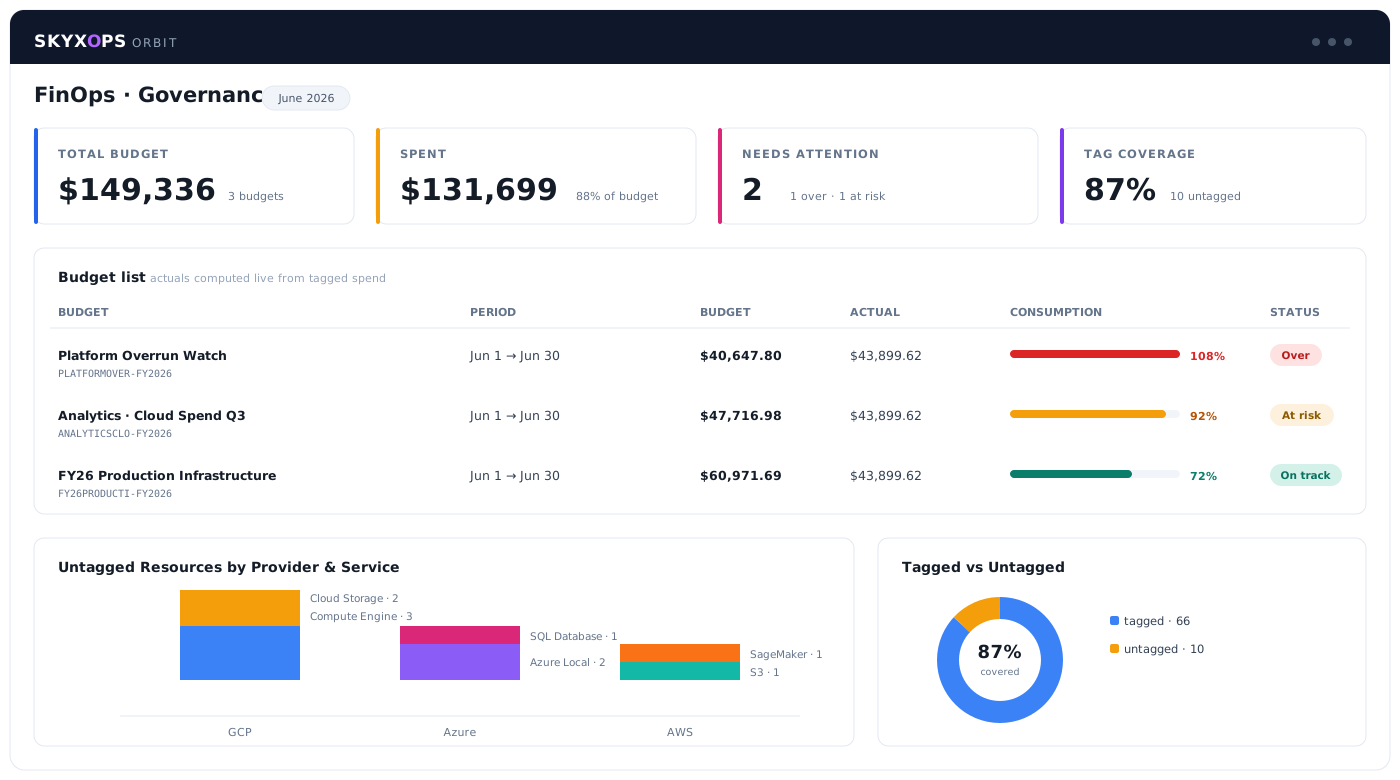
One check catches what the pipeline creates. The second catches everything else. Together they stop coverage quietly decaying.
- Required tags evaluated on the infrastructure change before merge
- Post-deploy scan across accounts for anything that arrived another way
- Compliance visible by account, team and service
- Gaps flagged with the owner and the resource, and your team fixes them
An inventory that stays current
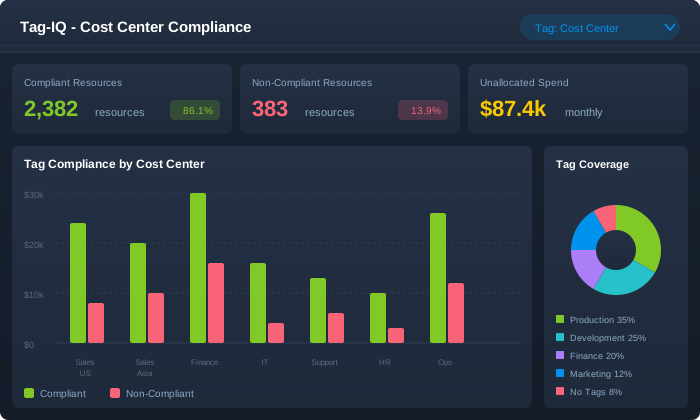
You cannot attribute what you cannot list. The inventory tracks what exists across all three clouds and what each item costs.
- Resources across AWS, Azure and Google Cloud in one list
- Current cost attached to each resource
- Ownership and lifecycle state
- The same inventory that underpins DR cost planning
Showback and chargeback that survive scrutiny
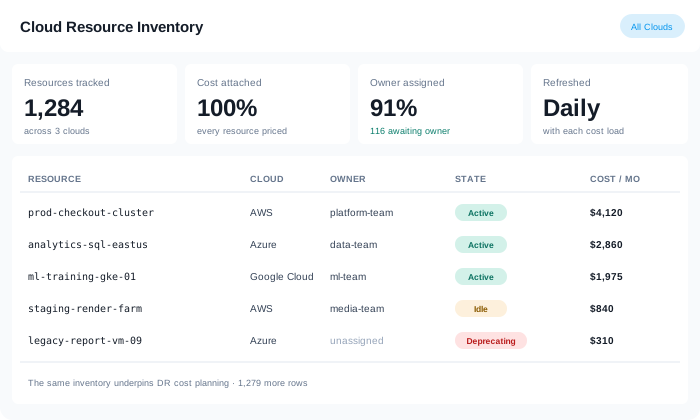
A chargeback number gets challenged. It holds up when the recipient can drill from their total to the individual resource behind it.
- Spend by cost centre, team, environment and service
- Shared and untagged cost allocated by a rule you set, and shown as such
- Drill from a department total to a single resource
- Exportable for the finance system that has to consume it
Access and audit
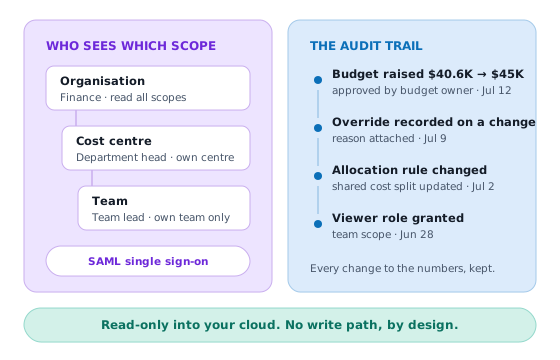
Cost data is organisational data. Who sees which scope matters, and so does what happened to the numbers.
- Role-based access aligned to your scope hierarchy
- SAML single sign-on
- Audit trail across budget approvals and overrides
- Read-only into your cloud, with no write path, by design
Questions about governing cloud & AI spend
No. It flags what is missing, names the owner and the resource, and recommends the tag. Your team applies it. SKYXOPS does not modify resources in your environment.
Account and subscription structure gives you a rollup immediately. Tag policy then gets you from that coarse view to team-level attribution, and the compliance dashboard shows how far along you are.
It is allocated by a rule you configure and shown as allocated rather than folded in silently. A chargeback report that hides its assumptions does not survive its first challenge.
Yes. Role-based access follows the same scope hierarchy the budgets use, and SAML single sign-on is supported.
Tag rules are yours to define: required keys, allowed values, and which scopes they apply to. SKYXOPS checks against your standard rather than imposing one.